Beta/Updates
Roadmap
- Q1 '26: iCloud Sync, JS Extensions, Slotted Notes, VIM Mode official release, iOS continued Beta
- Q2 '26: iOS v1 release
Beta
Antinote 2.0.5 Beta Update Notes
This is an abridged version. Full update notes will follow closer to official release.
End-to-End Encryption for iCloud Sync
iCloud Sync now supports end-to-end encryption (E2EE). Your synced notes are encrypted before leaving your device, so only your devices can read them.
Note: Apple Advanced Data Protection Required
For true end-to-end encryption, you must have Advanced Data Protection (ADP) enabled on your iCloud account. Without ADP, Apple retains the keys to decrypt iCloud data — meaning your notes are encrypted in transit and at rest, but Apple could technically access them. Learn how to enable ADP.
Previous Beta: v2.0.4
Antinote 2.0.4 Beta Update Notes
Important: iOS Update Required
To sync between macOS and iOS, you MUST update to iOS TestFlight version 1.3+. Both devices need to be on the latest versions to sync to the same database.
iCloud Sync — Complete Rewrite
iCloud Sync has been completely rewritten from the ground up for more reliable and instant syncing across iOS and macOS.
JS Extensions
Create custom text transformations and automations with JavaScript. See the Extensions repo for examples and documentation.
Slotted Notes
There are now 9 slotted notes that sit in a permanent stack. Access them via ⌘T and toggle split screen with ⌘⇧T.
Liquid Glass
New visual style embracing macOS Tahoe's design language.
Recover Deleted Notes
Accidentally deleted a note? You can now recover it. Look under the File menu — you'll know it when you see it.
Bug Fixes
Numerous stability and performance improvements.
Download v2.0.4 BetaAntinote 1.1.7 Update Notes
Firstly I wanted to put a huge thanks and welcome to @Pan Kacper, Antinote's new co-developer, for all his contributions to this update. I gave him a list of things I've been stuck on for months, and he fixed them all. He is a genius. I think he's also got some vimprovements in mind for the future.
Oh - and I've set an ambitious goal for an iOS compaion by the end of the year. It will not be exactly the same as macOS - join us on Discord to help us define the direction.
This update ended up being far too big, so instead of the usual Feature / Improvement / Bug, I've broken it down to major use cases so you can find the updates that are relevant to you.
For everyone
Full-screen Timer alerts + named timers
When your timer goes off, you now have the option to see a full-screen alert. For pomodoro timers, a full-screen alert will show up during break times, with an option to skip, and will keep track of your non-skip streaks.
You can also name timers now with: timer 5: Laundry
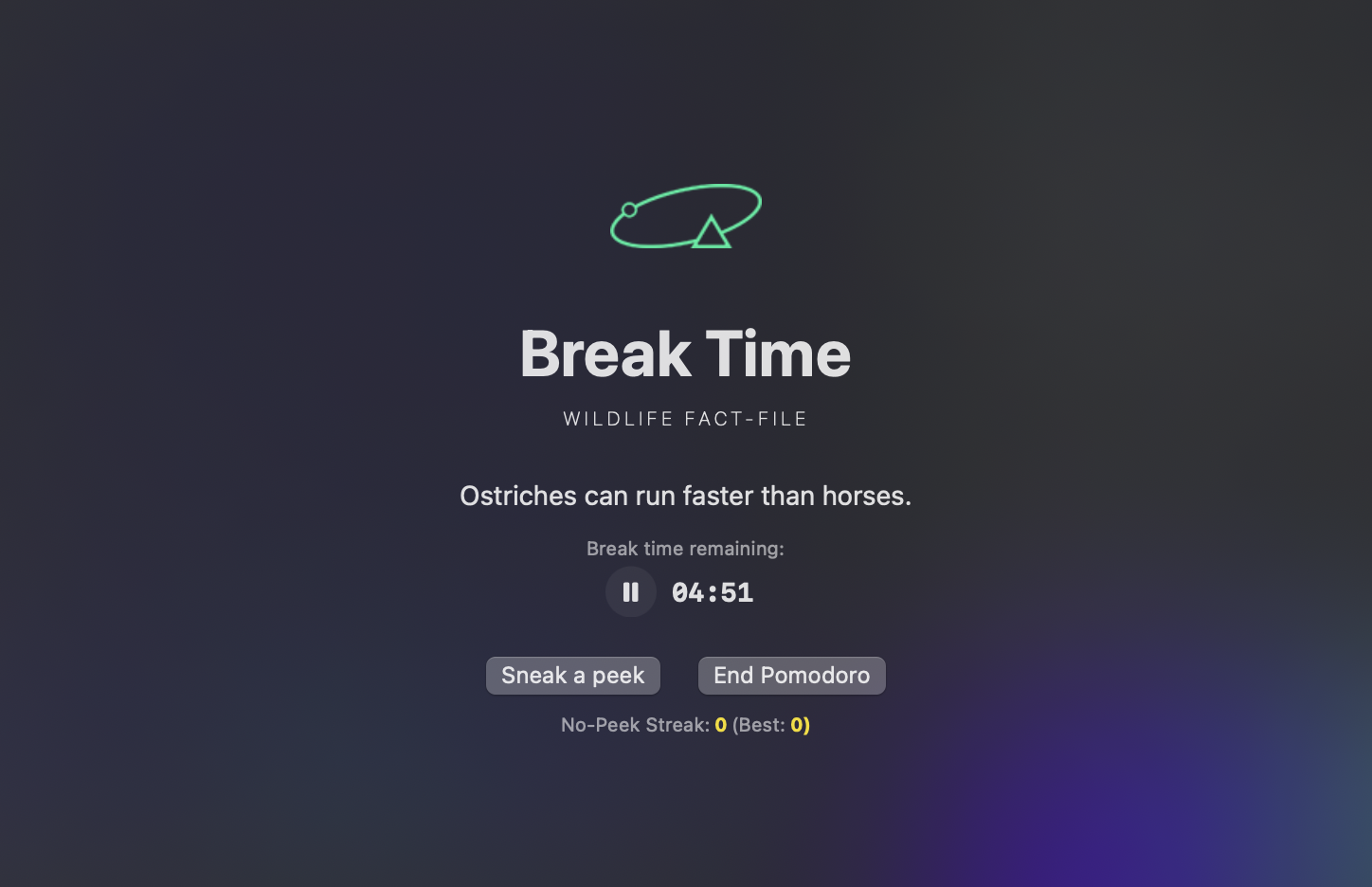
There is also an option to show the timer in the menu bar:

Simple markdown
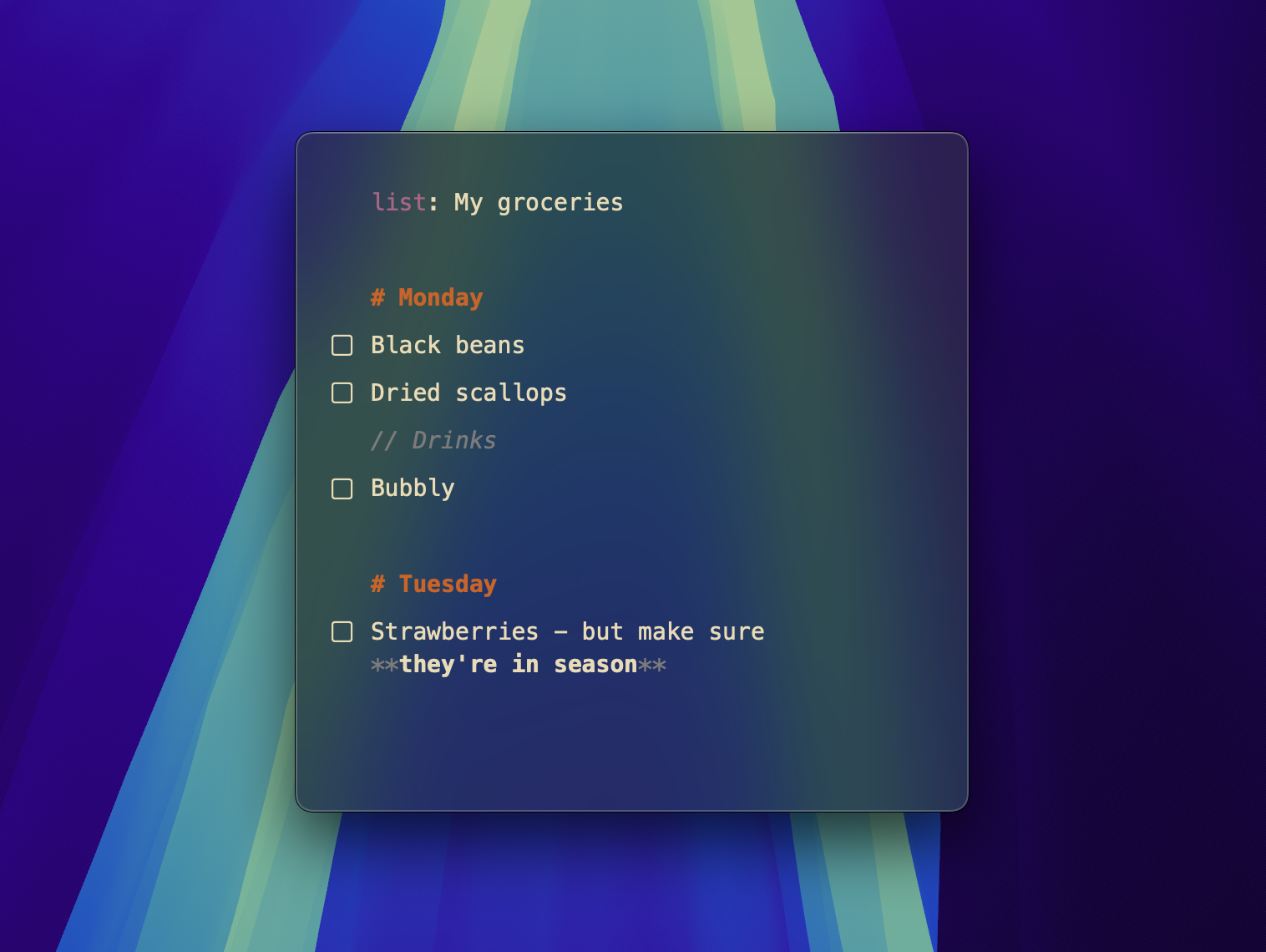
You can now create headers, comments, bold, italics, and use backticks in notes. This is particularly useful in Lists to differentiate parts of a list:
Big performance improvements
Thanks to @Pan Kacper, there have been huge (50%+!!) performance updates, particularly for very long regular (non list/math) notes. Don't write really long notes in Antinote. But if you have to do a big find and replace, or want to hold on to a large code snippet, you can do that now!
Also - the dot background was creating a lot of lag and @Pan Kacper fixed that too. Smooth as butter now.
Auto-archive notes
Antinote will now backup the entire database of notes every 3 hours, for the last 36 hours (change in settings). This means that in the event of any major crash, you can simply rename a backup and it'll restore all your notes.
- Go to Settings > Notes to adjust frequency and quantity, as well as the folder location of the backups.
Usage tracking off for everyone
After 3 months, I haven't looked at the usage data once, so it has been turned off for everyone. Feature prioritization will be driven by the community and my feelngs.
For the visual lovers
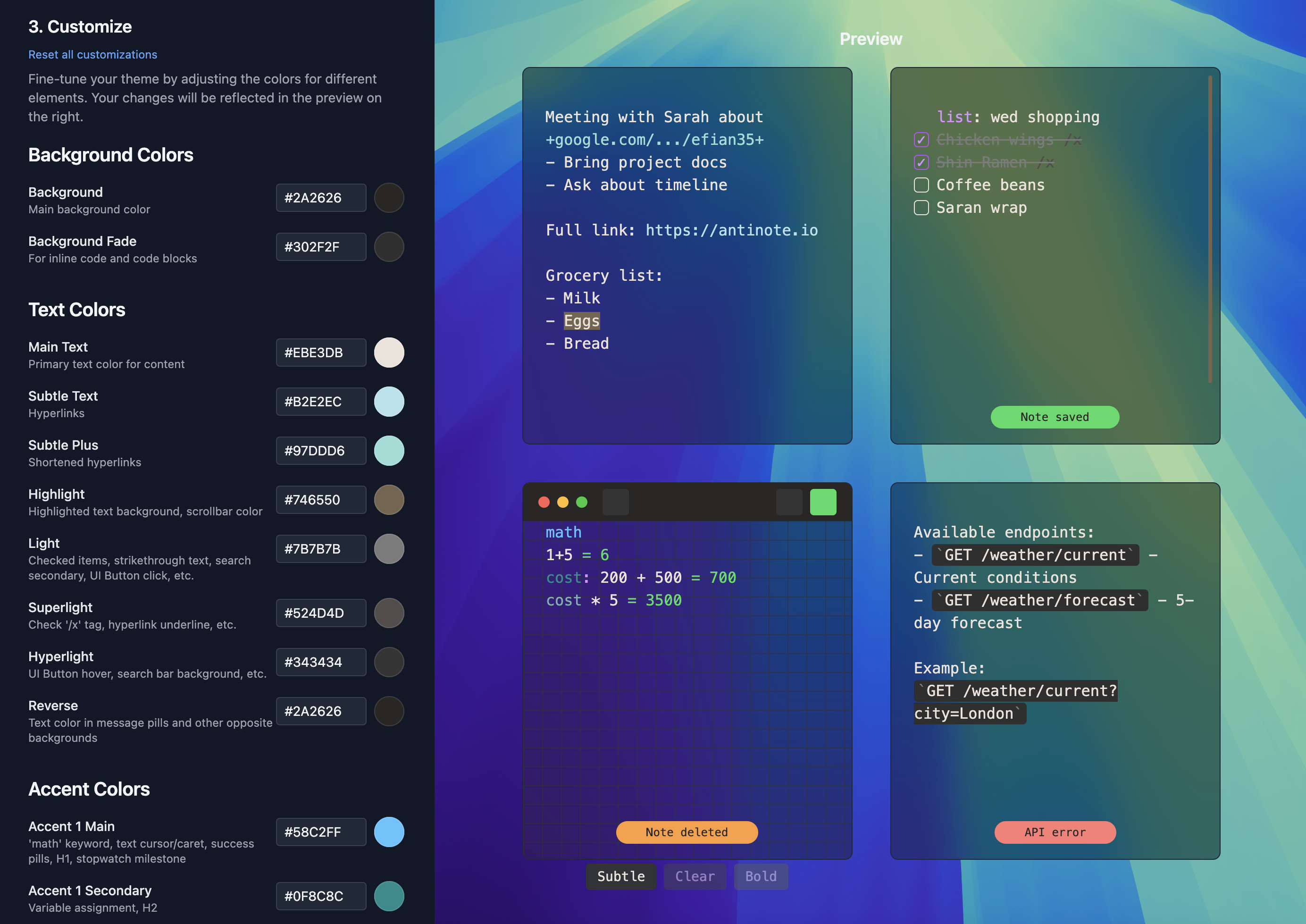
Theme Maker
https://antinote.io/theme-maker
Community-created themes: https://github.com/johnsonfung/antinote-extensions/tree/main/themes-community
Don't know how to use GitHub? Community themes can also be uploaded/downloaded from our Discord.
You can now create and import community themes into Antinote.
- Create a theme and download the JSON file.
- Settings > Visuals and scroll down to "Custom Themes" to open your folder.
- Put your JSON file in that folder, click 'Reload Custom Themes' and you'll be able to select your theme.
For math people
Skip lines from being calculated with comments
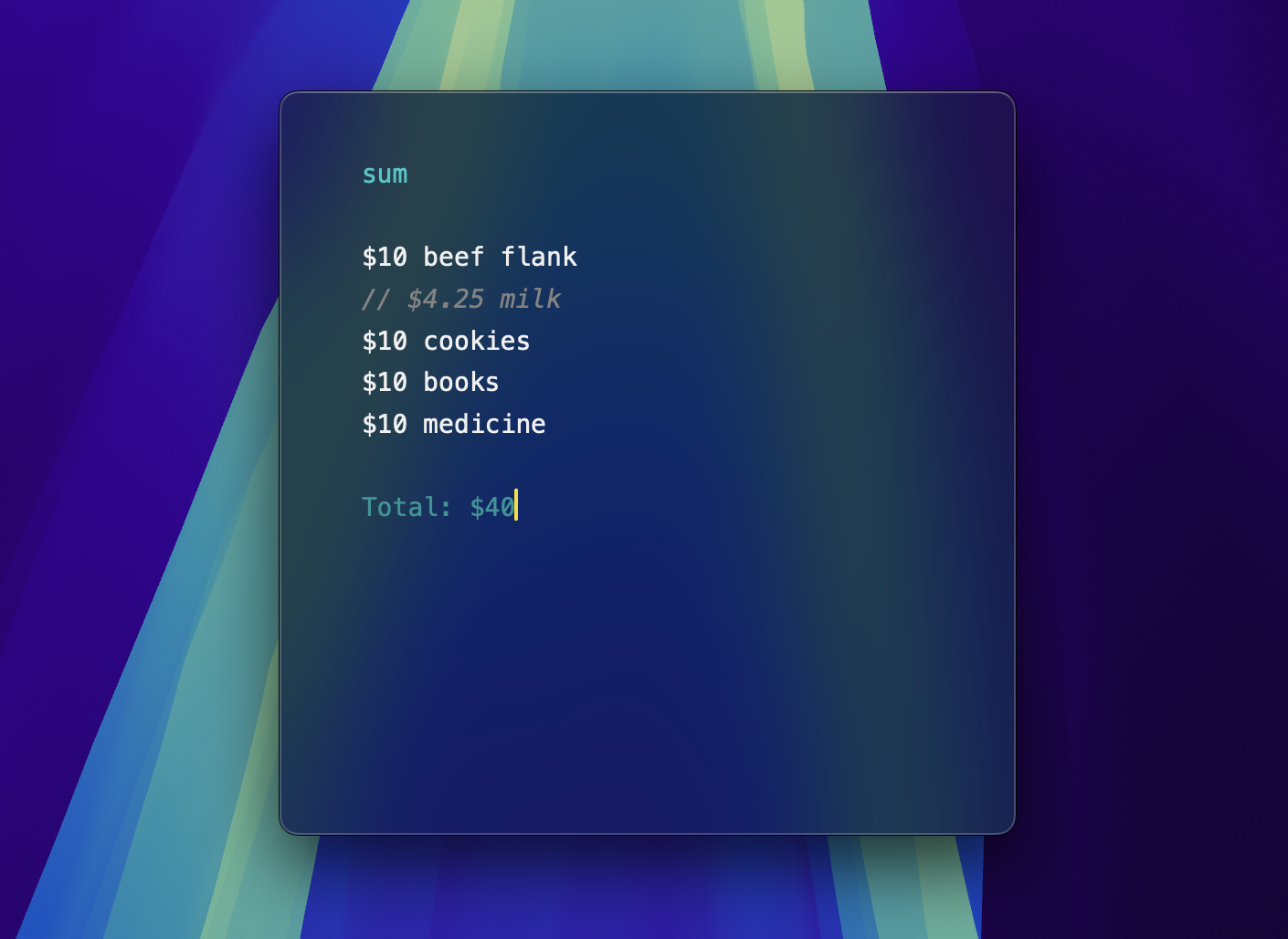
Start a line with // (or press ⌘/ on an existing line) to turn that line into a comment. Commented lines will not be added to sums, averages, counts or be calculated in math notes.
Updated supported currency list
Now includes 50+ more currencies like SOL, MYR, NIS, etc.
Little things
- Clicking any answer will copy the answer to clipboard
- Any math statement with a currency sign will lead to a currency sign in the answer
- You can now do percentage calculations like:
- 100 + 15% = 115
- 25% of 1000 = 250
- Put two currencies to get the rate:
- USD to CAD = 1.39 CAD
For productivity wonks
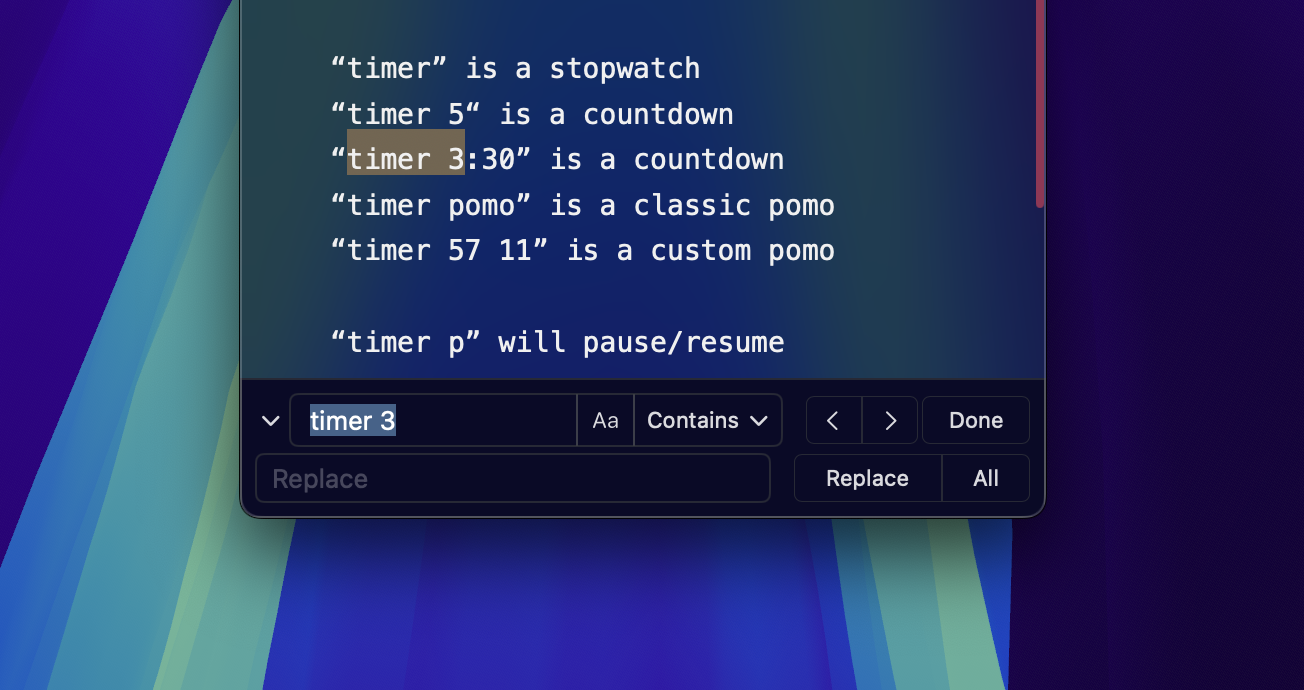
Find and Replace
You can now do find and replace via ⌘+Shift+F:
- In the find field:
- Enter - next result.
- Shift+Enter - previous result.
- Tab - open replace shelf (tab again to go to replace field)
- In the replace field:
- Enter - replace
- Shift+Enter - replace all
- You can do Regex replacements
Little things
- ⌘C will copy the whole note if nothing is selected.
- ⌘C will copy the contents within backticks if nothing is selected.
- ⌘/ will toggle commenting on lines
- Tab and shift-tab will indent lines
- Settings > Text Editing > Enable MacOS Text Replacements
For the nerds
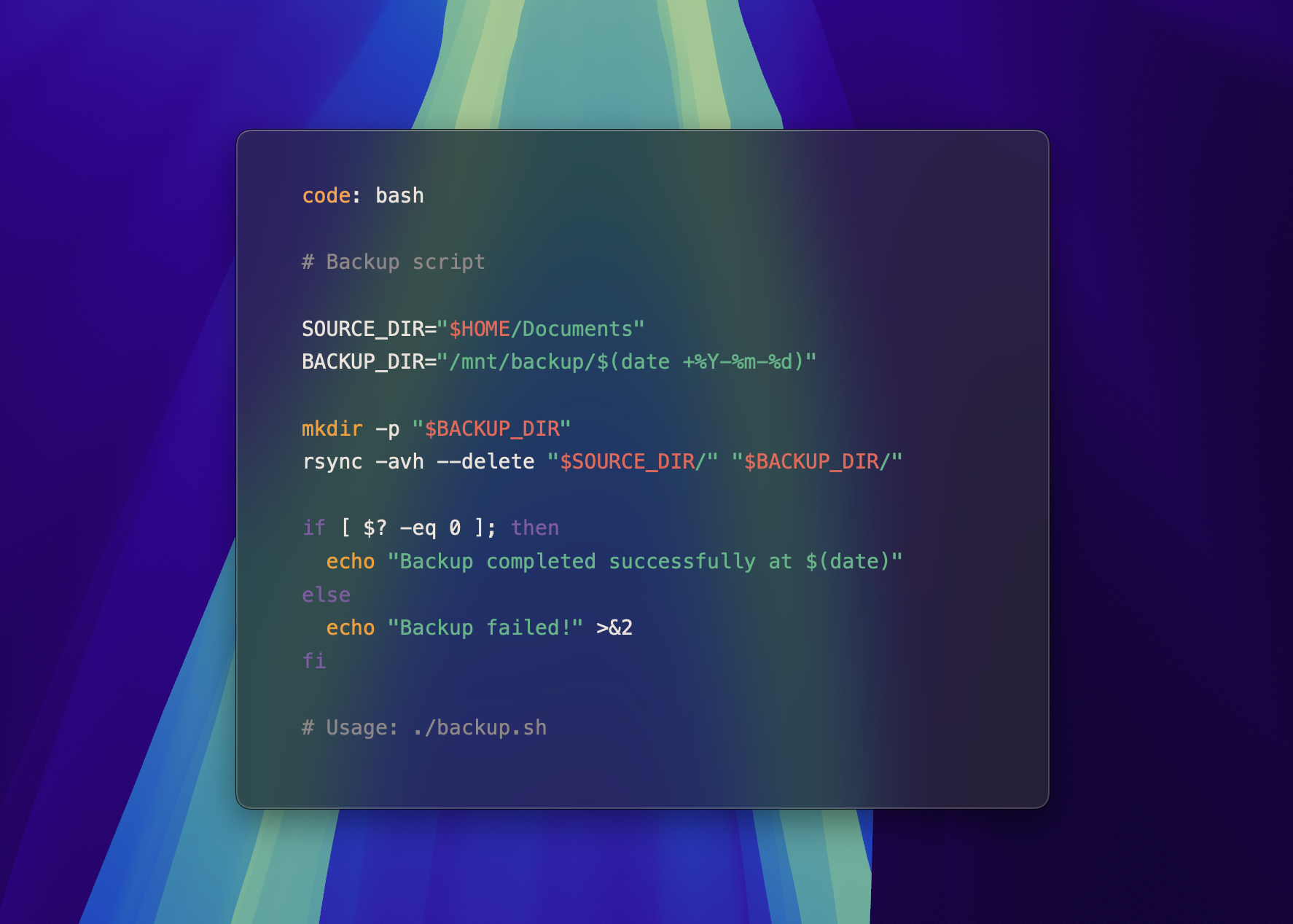
Code blocks and keyword
- Keyword: You can now use the keyword
code: pyfollowed by your language, and Antinote will do syntax highlighting in that note. - Code Block: You can also use triple backticks
```pyto open a code block with specific syntax highlighting - With nothing selected, if your cursor is inside a code block, ⌘C will copy the code block contents.
- Inside code blocks and a "code" note, the following is disabled: indent stripping, all hyperlink features.
- In Settings > Misc:
- Choose your syntax highlighting theme
- Choose the default language if none is supplied
- Antinote leverages the Highlightr library.
Homebrew
https://formulae.brew.sh/cask/antinote
Thank you to Nick from popclip.app for adding it so quickly!
Custom Export via URL Schemes
Settings > Export now has a custom export to put any kind of URL Scheme you want. For example:
- Append to existing Obsidian note:
obsidian://new?vault=my%20vault&name={TITLE}&append={CONTENT} - Notebooks:
notebooks://addnote/{CONTENT}&title={TITLE} - Any Apple Shortcut:
shortcuts://run-shortcut?name=sendToChatGPT&input=text&text={CONTENT}shortcuts://run-shortcut?name=createEvent&input=text&text={CONTENT}&date={TITLE}
antinote:// URL Schemes
You can now programmatically get Anitnote to:
- Create a new note (with content)
- Append to current note
- Overwrite the current note
- Search for a note (will return UUID)
- Promote a note to top (via UUID)
- Toggle hotkey
- Toggle pin
- Reload from SQLite.db (in the case where you are making direct edits to the SQLite.db)
See docs in the User Manual
Upcoming
- JS Extensions so you can trigger text transformations to your liking
- Optional iCloud Sync
- End of 2025 - iOS
Ideas being tinkered with
- Motions
- Image attachements
Other scratchpad apps you should check out:
- Scrap Note - a free/open source scrapnotes app that leverages SoulverCore to do calculations.
Downloads
| Version | Notes | |
|---|---|---|
| 2.0.4 Beta | Incremental update with bug fixes and improvements. | Download |
| 2.0.3 Beta | iCloud Sync rewrite, JS Extensions, Slotted Notes fixes, PDF export. | Download |
| 2.0.2 Beta | Fixes slotted notes saving, scrolling, and deleting in split mode. Adds print and export to PDF. | Download |
| 2.0.1 Beta | Hotfix for auto-importing notes from Antinote v1. | Download |
| 2.0.0 Beta | iCloud Sync, JS Extensions, Slotted Notes, Liquid Glass, Recover deleted notes. | Download |
| 1.1.7 (latest) | Full-screen timers, markdown, performance, custom themes, url schemes, custom export, find and replace, code blocks, and more. | Download |
| 1.1.6 | SetApp integration (Download from SetApp). | |
| 1.1.5 | Hotpatch for notes deleting on app quit. | Download |
| 1.1.4 (unstable) | Hotpatch for crash on startup/hotkey. Patch for Raycast/Alfred search extensions. | Download |
| 1.1.3 (unstable) | Translucent Mode, rewritten window behavior, auto-hide setting, improved OCR drag support, Cmd-Shift-V paste | Download |
| 1.1.2 | Hot patch for pseudo-menu and traditional menu mode, pinning fixes, window sizing bug fixes | Download |
| 1.1.1 | AutoPaste command, Traditional Menu Mode (BETA), 8 new themes, Raycast & Alfred foundations, XXL fonts, improved timer and OCR | Download |
| 1.1.0 | Initial public release of the 1.1.x series | Download |